Video is the dominant content format online. SellersCommerce reported that over 3 billion internet users watch streaming or downloaded video at least once per month, with 92.3% of internet users watching videos weekly. Yet most creators and marketing teams still spend more time editing than creating. AI video editing tools close that gap.
This guide covers how AI video editing works, the three main editing approaches, what to look for in a tool, and how to edit video with AI using ChatCut.
Key Takeaways
- AI video editing automates repetitive post-production tasks like cutting, captioning, color correction, and reformatting.
- There are three main editing approaches: prompt-based editing, transcript editing, and AI timeline editing. Each suits a different content type and workflow.
- Most AI video editors are browser-based, meaning no installation or high-end hardware is required.
- Agent mode in ChatCut handles multi-step editing workflows autonomously. You upload, brief the agent, and review the output.
- AI editing tools work best on clean, well-lit footage. Input quality directly determines output quality.
- For professional productions, AI and traditional NLE tools like Adobe Premiere or DaVinci Resolve work best together, not in isolation.
What Is AI Video Editing?
AI video editing is the use of artificial intelligence to perform, assist with, or automate video editing tasks. These tasks usually include cutting silence, generating subtitles, adding transitions, color grading, and scene and audio enhancement.
Typically, traditional video editing involves:
- Manual timeline editing
- Working through the footage frame by frame
While an AI video editor:
- Analyzes footage, recognizes speech, and isolates noise automatically
- Executes edits based on instructions or pre-trained models
- Doesn’t require the editor to touch every frame manually
However, this does not eliminate the need for a human editor but changes what the editor spends time on. Human judgment is still needed for narrative decisions, pacing, and tone, and contextual understanding a model cannot infer from the footage itself.
At the same time, the volume of video content being produced continues to grow, making automation essential. According to Wyzowl’s State of Video Marketing report, 91% of businesses use video as a marketing tool. While Adobe reports more than 71% of content creators make and edit video with AI. This shows how AI video editing is becoming a mainstream part of modern content production.
Who uses AI video editing software?
Generally, AI video editing software is used by people who are looking to speed up their manual editing process. These may include:
- Content creators who need to edit videos faster and publish more content consistently.
- Social media managers who create platform-ready videos for campaigns, promotions, and daily content schedules.
- Marketing teams that produce branded videos at scale for advertising, product launches, and customer engagement.
- YouTubers who want to automate repetitive tasks such as trimming clips, generating captions, and enhancing audio.
- Small business owners who need professional-quality videos without hiring a dedicated editor or production team.
- Educators who create instructional videos, online courses, tutorials, and presentation content.
- Documentary filmmakers who need help organizing footage, generating rough cuts, and streamlining post-production workflows.
The entry point is low. You do not need a background in post-production editing or experience with an NLE (Non-Linear Editor) to produce and edit video with AI. An NLE is video editing software that gives you direct access to any frame in a clip at any point during the edit, without touching the original source files.
How AI Video Editing Works
AI video editing software uses computer vision and machine learning models trained on large datasets of footage, audio, and text. When you upload a video, the AI analyzes it at the frame level and maps the structure of the content.
From there, it executes edits automatically and responds to video editing prompts. The model does not understand the video the way a human editor does. It interprets prompts. When those prompts are well-defined and detailed, the results are highly accurate.
The Three Editing Approaches
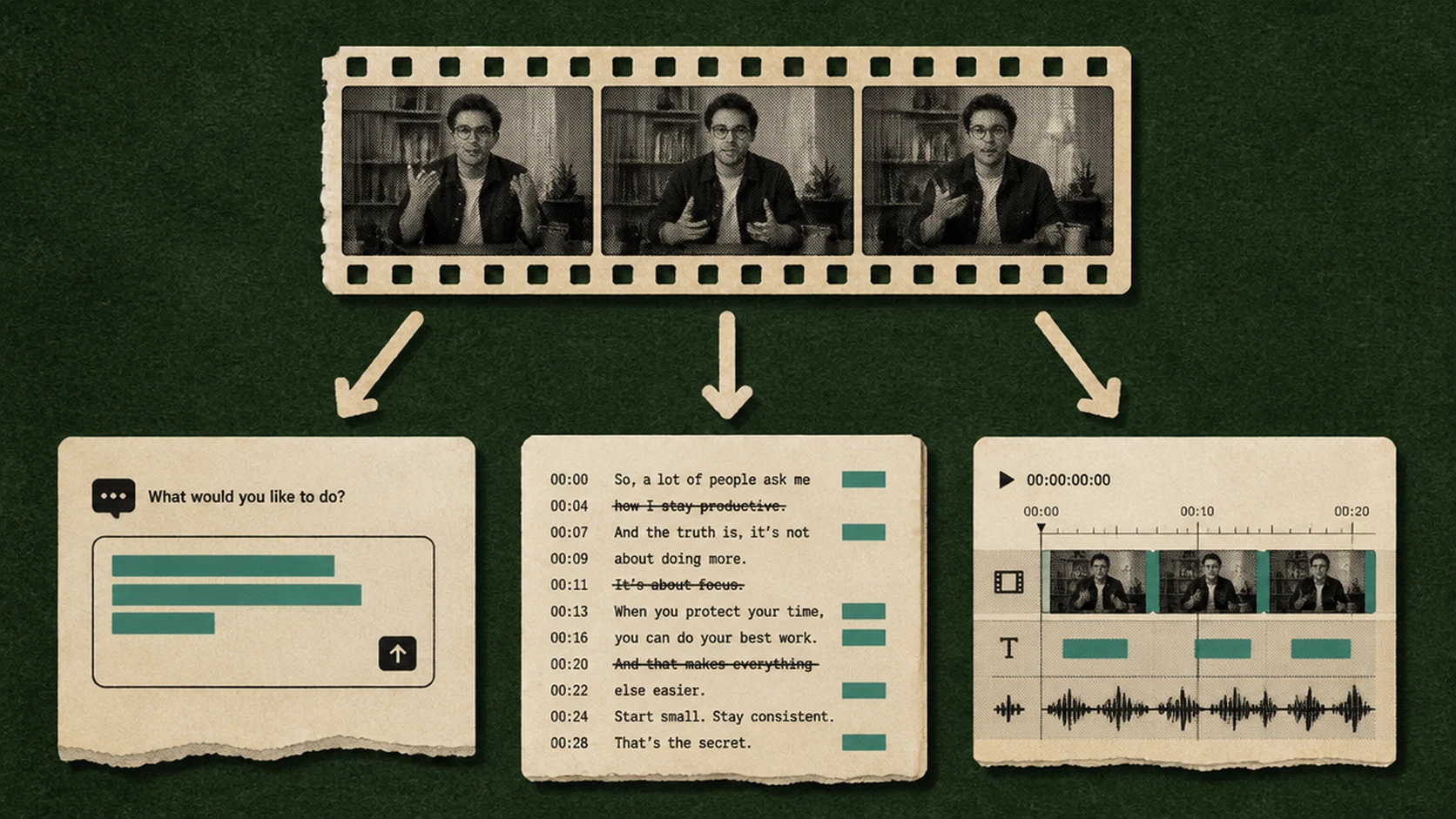
Most AI video editing tools work through one of three approaches, and most modern platforms support more than one.
Prompt-based editing
You type an instruction and the AI executes it. “Remove all silences.” “Add subtitles in white text.” “Cut to 60 seconds.” The model interprets the instruction, processes the footage, and edits the video. This approach works best for quick edits, content repurposing, and users who want results without working through a timeline manually.
Transcript editing
The AI generates a text transcript of the video. You edit the transcript like a document such as deleting words or sentences, and the corresponding video footage is edited automatically. Transcript editing works best for editing talking-head content, interviews, podcasts, and any video where the spoken word or narration matters most for structure.
AI timeline editing
It is the traditional NLE (non-linear editor) experience coupled with a built-in AI layer. You still work on a timeline, but the AI handles repetitive tasks like auto-cutting, silence removal, scene detection, and color grading. Best for editors who want full creative control with AI handling the mechanical work.
AI Agents in Video Editing
The most recent development in AI video editing is agentic editing, where the AI handles multi-step editing tasks autonomously without requiring input at each stage. You give an instruction, the agent works through the footage, and returns a completed edit.
ChatCut’s Agent mode is a live example of this. You can instruct the agent to handle a full editing workflow as a single autonomous task. A Codex plugin integration is also coming soon to ChatCut, which will allow more granular control over video editing workflows.
What AI Video Editing Software Can Do

The capabilities vary by platform, but here is what leading AI video editing tools handle today:
Auto-cut and smart trimming
AI detects silences, low-energy moments, and repeated takes, then removes them automatically. This feature comes in handy for editing a long, raw video and helps save an hour of manual work.
Auto-captions and subtitle generation
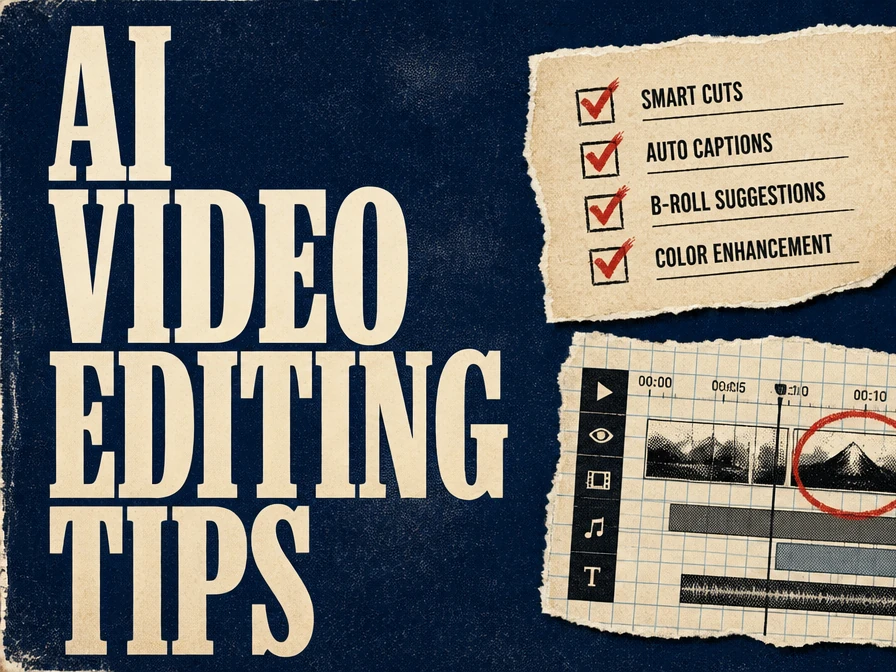
The AI transcribes speech and places accurately timed captions directly on the video. Most tools support multiple caption styles. However, AI captions should always be reviewed before publishing the video, especially for proper grammar and technical terminology.
Color grading
Most of the best AI video editing tools come with features to correct and fix color grading using digital LUTs. These LUTs fix exposure, white balance, and color profile of each clip. Results are clean and consistent for standard footage. Complex cinematic grading still benefits from manual adjustment.
B-roll matching
AI video editing software with a timeline editing feature lets you insert relevant b-roll footage from a connected asset library. With agentic editing, the video editor makes context-based suggestions and auto-inserts b-roll footage. This speeds up the most time-consuming part of long-form video production.
Audio enhancement and noise removal
AI isolates background noise, hum, wind, and echo, and removes it from the audio track. AI noise removal is one of the most reliable AI features available, with quality comparable to dedicated audio software.
Platform reformatting
AI automatically reframes and resizes a video for different aspect ratios, from a 16:9 YouTube video to a 9:16 Instagram Reel and a 1:1 LinkedIn post. The AI detects the focal point of each frame and adjusts the crop to fit your social media content requirements.
Text and logo overlay
Stylized text overlays, lower thirds, and logo placements can be applied by adding the text elements into the timeline or using custom prompts with an AI agent. In both cases, the AI video editor reduces time spent on branded video formatting.
AI Video Editing vs. Traditional Non-Linear Editing
Traditional NLE editing tools like Adobe Premiere Pro and DaVinci Resolve give editors complete control over every frame, layer, and effect. They are the standard for professional film, broadcast, and high-end commercial production. They also require significant skill, time, and hardware investment.
AI video editing tools prioritize speed, accessibility, automation, and scalability. Most browser video editors require no software installation, and they run on standard hardware. These AI editors don’t require any significant video editing skills or experience with traditional editing methods.
The trade-off, however, is creative control. AI video tools handle the mechanical work well, but they do not replicate the precision of a skilled editor working in a full NLE.
| Factor | AI Video Editing | Traditional NLE |
|---|---|---|
| Learning curve | Low | High |
| Speed for quick edits | Fast | Slow |
| Creative control | Medium | Full |
| Browser-based | Usually yes | Usually no |
| Cost | Free to affordable | Software license + hardware |
| Best use case | Short-form, social, repurposing | Film, broadcast, long-form |
Most professional filmmakers and video editors now combine both. Pro editors use AI tools to handle first-pass edits, captions, and reformatting, then bring the rough cut into a full NLE for finishing. This approach reduces total editing time without sacrificing production quality on complex projects.
What to Look for in an AI Video Editor
The difference between a useful AI video editor and one that slows you down is usually a few key features. Here is what to evaluate before committing to a video editing tool.
- Editing approach support: Does it support prompt-based, transcript, and timeline editing, or only one? More options give you flexibility across content types.
- Agentic capabilities: Can the tool execute multi-step workflows without manual input at each stage? Agent mode separates basic AI editors from genuinely capable ones.
- Auto-captioning accuracy: Test it on a real clip with varied speech before relying on it for published content.
- Audio enhancement quality: Background noise removal quality varies significantly between platforms.
- Content repurposing tools: Does it support automatic reformatting for multiple platforms from a single upload?
- Output resolution: Some free-tier tools cap exports at 720p. Check the maximum before choosing a plan.
- Browser-based access: Desktop tools require installation and specific hardware. Browser video editors can be used and accessed from anywhere.
Best AI Video Editing Tools in 2026
AI video editing tools fall into two broad categories:
- Browser-based editors built for speed and accessibility
- Desktop NLE tools with AI features layered in for professional production work
The right choice depends on your content type, technical comfort level, and how much manual control you need over the final output.
For browser-based AI editing
- ChatCut supports prompt-based editing, transcript editing, and Agent mode in one interface with no installation required. The pricing plan starts from $25/month with a free trial.
- Descript suits transcript-based editing for podcasts and interviews.
- CapCut works well for short-form and mobile-first content.
These browser video editors offer free tiers, making them accessible starting points for creators at any level.
For professional productions
- Adobe Premiere Pro and DaVinci Resolve remain the standard.
- Both now integrate AI features such as automated color correction, noise removal, and caption generation directly into their traditional timelines. These features improve the manual control that high-end production work requires.
Most serious workflows today use both categories in combination: AI tools for first-pass editing and reformatting, and a full NLE for finishing.
Limitations and Common Mistakes of AI Video Editing
The biggest misconception about AI video editing tools is that automation eliminates the need for human judgement. Being aware of the limitations of these AI tools can help editors use them more effectively without running into costly editing errors.
Limitations
Limited creative control for complex sequences
AI tools are reliable for structured, repeatable tasks. For narrative editing where pacing and emotional timing matter, they require significant human oversight. The AI cannot interpret subtext or intent from footage.
Data and privacy considerations
Uploading footage to a cloud-based AI editor means your video is processed on external servers. For client work or sensitive content, review the platform’s data handling and privacy policy before uploading.
Output depends on input quality
AI editing tools perform at the quality level of the footage provided. Poor lighting, inconsistent audio, and shaky footage produce inconsistent results regardless of the model being used.
Color grading limitations
AI auto-correction produces clean, balanced results for standard footage. For cinematic grading with a specific visual style, the output rarely matches what a colorist achieves manually in DaVinci Resolve or Premiere.
Common Mistakes
Skipping prompt iteration
Prompt-based editing rarely produces a perfect edit on the first attempt. Treat the first output as a draft, review it, and refine the prompt for a second pass. One iteration usually gets you to 90% of the intended result.
Not reviewing AI captions
Auto-generated captions are highly accurate for clear audio but regularly mishandle proper nouns, brand names, technical terms, and non-standard pronunciation. Always review before publishing.
Using low-resolution input
AI editors cannot improve source footage quality. If the input is heavily compressed or low resolution, the output will be too. Start with the highest resolution source file available.
How to Edit Video with AI on ChatCut
ChatCut is a browser-based AI video editor. It combines prompt-based editing, transcript editing, and Agent mode in one interface without any software installation.
Step 1: Upload Your Video
Go to ChatCut and upload your video file. MP4 and MOV are supported. The editor also comes with a built-in AI video generator, which means you can create, test, and edit videos on the same platform.
Step 2: Choose Your Editing Approach
ChatCut offers multiple video editing modes: prompt-based agentic editing, transcript editing, and timeline editing. Choose the editing approach depending on your content type. For quick edits and multi-step workflows, writing AI video prompts for the agent is the fastest path.
For narration-based videos, transcript editing gives you more precision over what stays in and what gets cut. For final tweaks and minor fixes, timeline editing lets you refine your video manually.
Step 3: Add Elements
On ChatCut, you can access a comprehensive library of motion graphics, sound effects, transitions, LUTs, and more. Try different caption styles, isolate voice, or enhance audio with transitions.
Step 4: Refine with Timeline Controls
Use the timeline editing feature for manual adjustments such as splitting and rearranging the frames, fixing captions, tightening pacing, or correcting anything the prompt did not handle exactly as intended.
Step 5: Export and Share
Select your aspect ratio, resolution, and export format. ChatCut supports platform-specific formatting, so you can export the same edit in multiple formats for YouTube, Instagram, and LinkedIn in one session.
Ready to Edit Videos with ChatCut?
AI video editing has removed the technical barrier to producing clean, professional video content. Tasks that once required dedicated software, specific hardware, and post-production skills are now accessible to anyone with a browser and a video file.
For creators, marketers, and teams producing high volumes of video content, AI editing is now a practical part of the workflow rather than an experimental add-on.
ChatCut brings prompt-based editing, transcript editing, and Agent mode into a single browser-based platform. If you have not tested it on real footage yet, a single project will show you more than any feature list.